
A contact is a person on your DuoCircle account who can get emails from us. A sub-account is a contact that can also sign in to the client area. The permissions of a sub-account control what it can see and change.
Only the account owner, or a sub-account with the View & Manage Contacts permission, can do the steps in this article.
Open the Contacts/Sub-Accounts page
- Sign in to the client area.
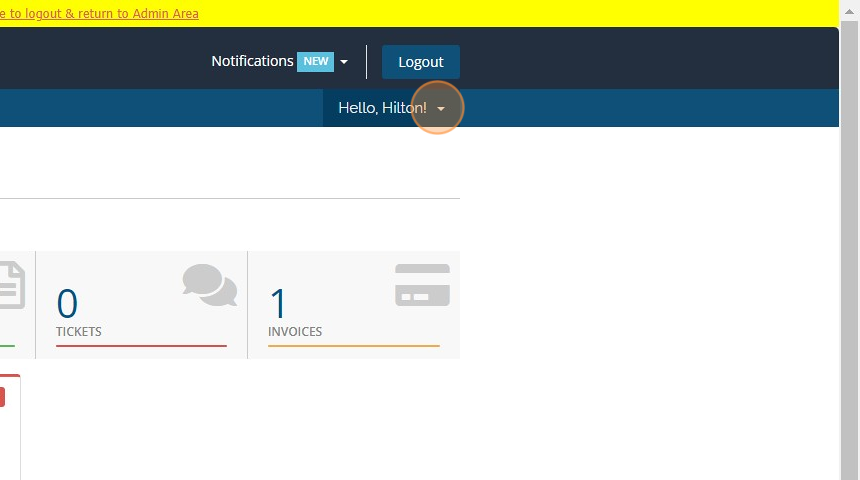
- Click the Hello, <name>! menu at the top right.
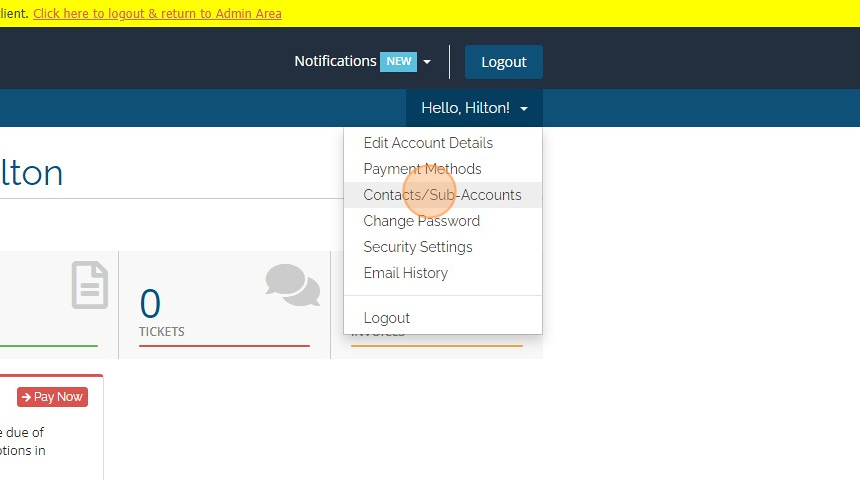
- Click Contacts/Sub-Accounts.
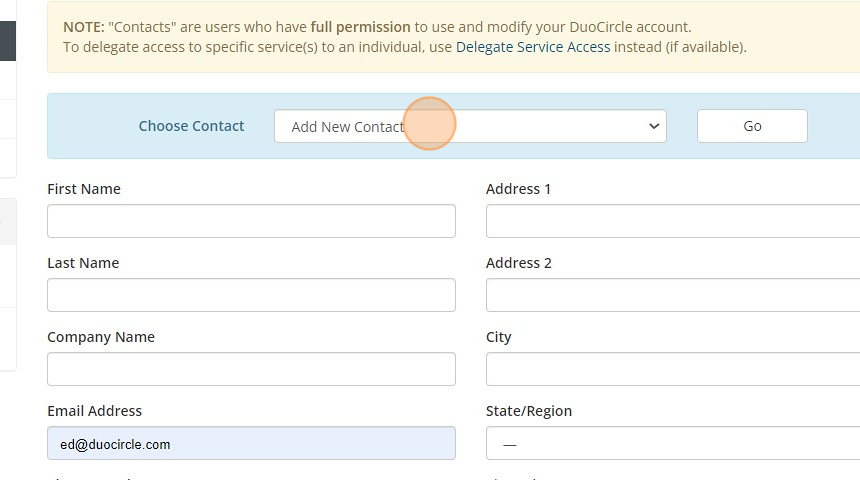
At the top of the page, the Choose Contact list shows your contacts. To work on a contact, select it and click Go.
Add a contact
- In Choose Contact, select Add New Contact and click Go.
- Fill in the contact details. The Email Address is also the sign-in name if you make the contact a sub-account.
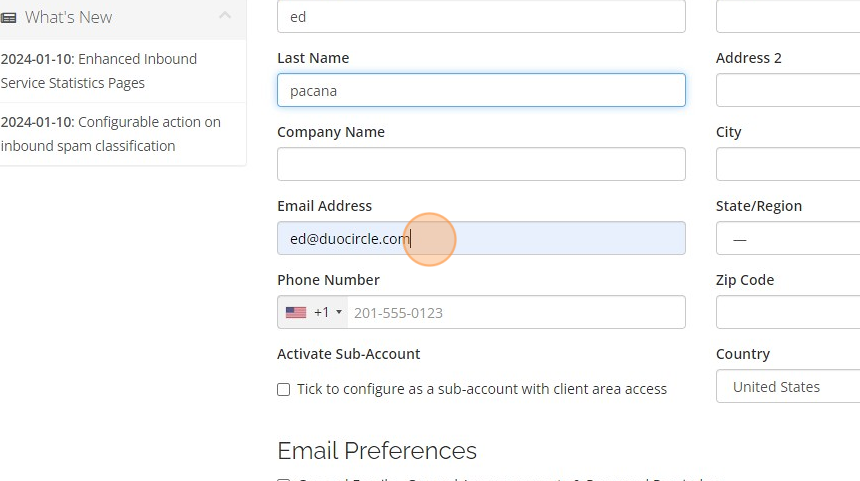
- Under Email Preferences, tick the emails that the contact gets from us, for example invoices or product emails.
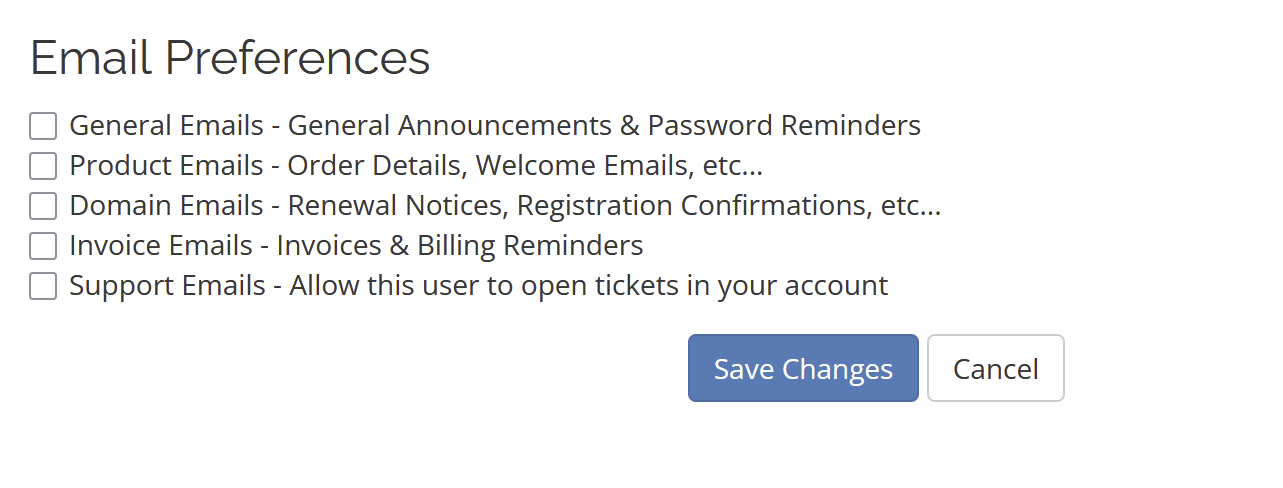
- Click Save Changes.
A contact without sub-account access cannot sign in. It only gets the emails that you tick.
Give a contact sub-account access
- Select the contact and click Go, or start a new contact.
- Tick Activate Sub-Account.
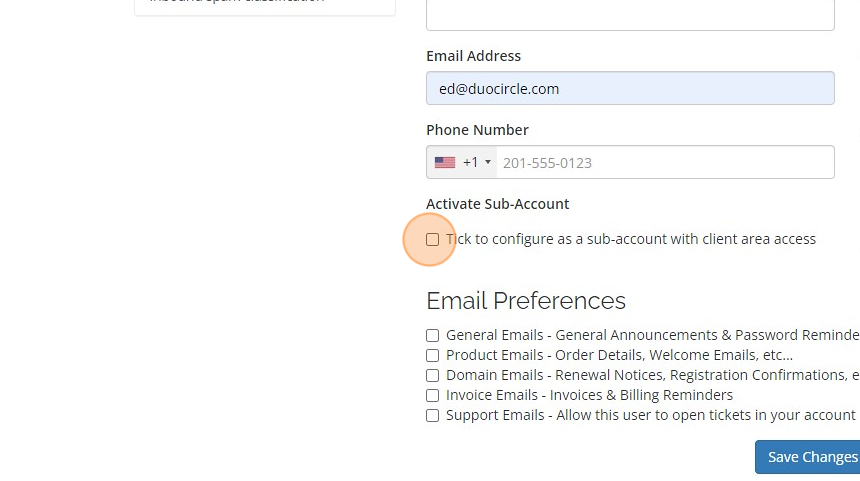
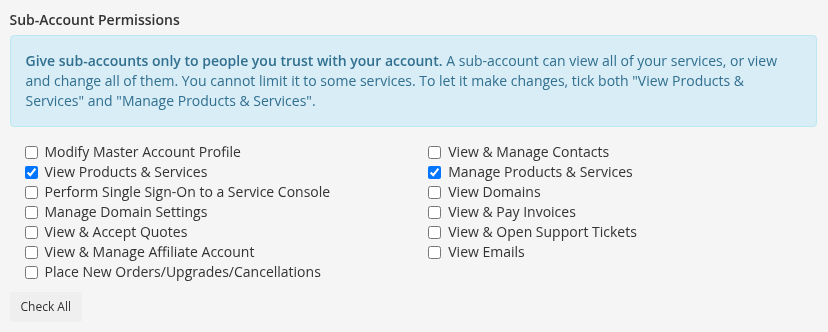
- Under Sub-Account Permissions, tick what the sub-account can do. See "What each permission does" below.
- Type a password in New Password and Confirm New Password. Give the password to the person in a safe way.
- Click Save Changes.
The person signs in to the client area with the contact's email address and this password.
Change the permissions of a sub-account
- Select the sub-account and click Go.
- Under Sub-Account Permissions, tick or untick the permissions.
- Click Save Changes.
The change applies the next time the sub-account opens a page.
What each permission does
| Permission | What the sub-account can do |
|---|---|
| View Products & Services | Open your service pages: recipients, filtering rules, forwards, statistics, SMTP senders, delegated admins, API keys, and inbound users. |
| Manage Products & Services | Make changes on those pages. For example, add or remove recipients, change filtering rules, import lists, create API keys, and reactivate a service. Also tick View Products & Services. |
| Perform Single Sign-On to a Service Console | Open the PhishProtection portal and the Message Log Viewer. Also tick View Products & Services. |
| View & Pay Invoices | See and pay invoices, and change payment methods. |
| View & Accept Quotes | See the quotes that we send to your account, and accept them. |
| Place New Orders/Upgrades/Cancellations | Order new services, upgrade services, and ask for cancellations. |
| View & Open Support Tickets | See your support tickets and open new ones. |
| View & Manage Contacts | Do the steps in this article, including changing the permissions of other sub-accounts. |
| Modify Master Account Profile | Change the account details, such as the company name and address. |
| View Emails | See the emails that we sent to your account. |
The SMTP Credentials page shows your SMTP passwords. To open it, a sub-account needs View Products & Services and Manage Products & Services.
When a sub-account opens a page or makes a change that it does not have permission for, it sees a message such as "Your sub-account does not have permission to make changes to products and services on this account. Please contact the account owner."
For what changed on 2026-10-01, see Sub-account permissions now control changes to your services.
Remove sub-account access or a contact
To stop a person from signing in, but keep sending them emails:
- Select the sub-account and click Go.
- Untick Activate Sub-Account.
- Click Save Changes.
To remove the contact completely:
- Select the contact and click Go.
- Click Delete Contact.
- Click Yes to confirm.
An API key belongs to your account, not to the sub-account that created it. If you remove a sub-account, the API keys that it created continue to work. Delete the keys on the Customer API Key Manager page if you do not need them.
Give sub-accounts only to people you trust
A sub-account can view all of your services, or view and change all of them. You cannot limit a sub-account to some services. Give a sub-account only to a person that you trust with your account.
To give a person access to only some services in the Message Log Viewer or PhishProtection, use Delegate Service Access instead, if it is available on your account.
Questions? Contact support.